
On this page (5)
Setting up Gorgias looks easy on day one. Connect the store, turn on chat, go.
Then the queue fills up. Tickets land in the wrong view. A rule and the AI both reply. Someone still edits addresses by hand at 11 pm.
If you are setting up Gorgias for the first time, or fixing a setup that grew messy, this guide is for you. I went through the official Gorgias docs and pulled out the 9 steps that matter, in the order I would do them. I also point out where setup work keeps growing, because that part rarely makes it into onboarding guides.
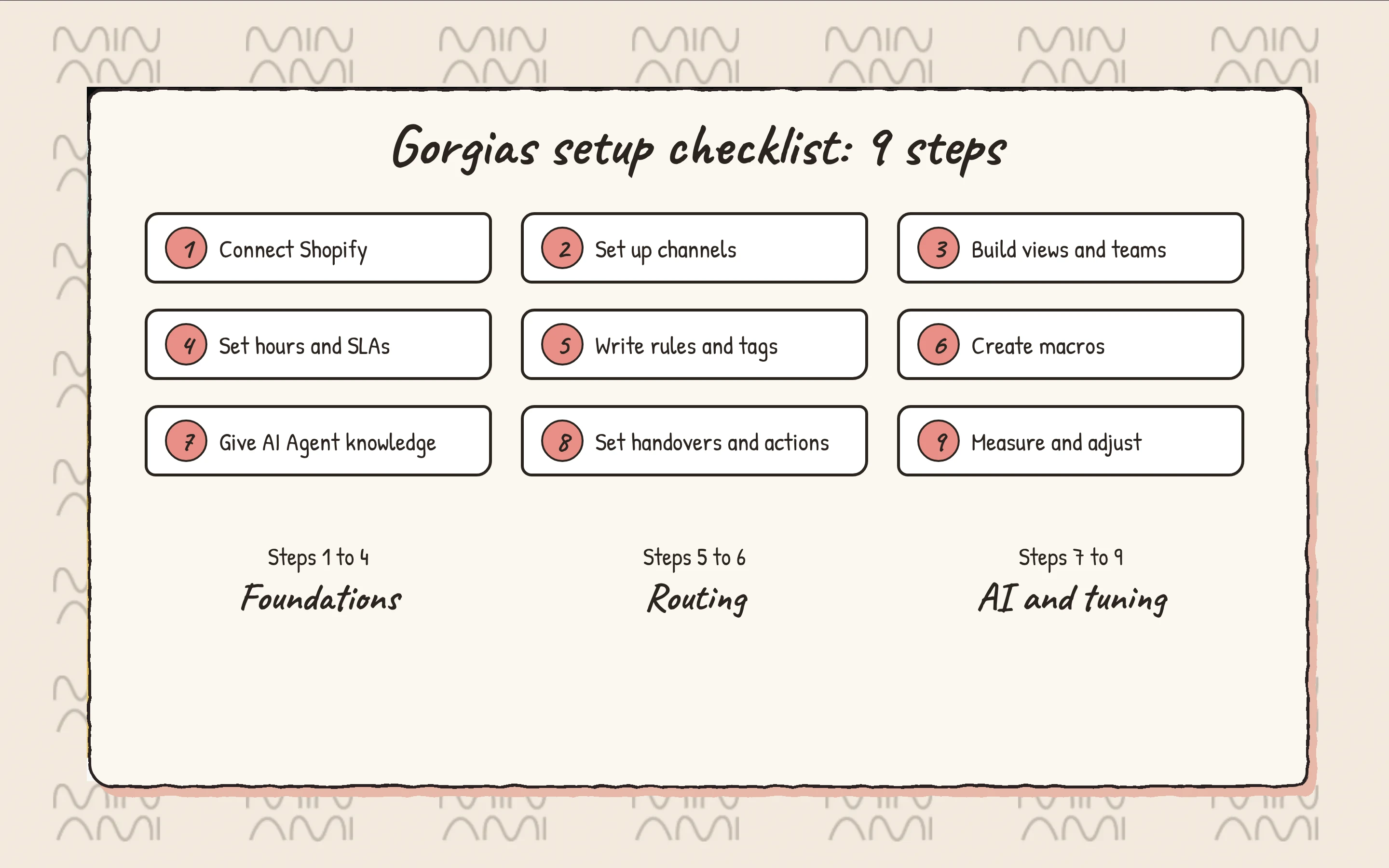
Lay the foundations before any automation
Most messy Gorgias accounts I look at have the same root problem. Automation was added before the basics were in place.
1. Connect Shopify first
Everything useful depends on it. The order sits next to the ticket, and agents can cancel an order or edit a shipping address from the Shopify widget. AI Agent Actions also run on that same connection.
2. Add channels on purpose
Email, chat, SMS, voice and social all feed one inbox. Add the channels your customers actually use. Each extra channel is one more stream to route and staff.
3. Build views and teams around work, not people
The Gorgias docs describe views as a way to guide agents through tickets in a set order. They suggest views by language, by team, and order-based views on the default ORDER-STATUS, RETURN/EXCHANGE and PRODUCT tags. For chat, they suggest SLA views split by how long ago the last message arrived.
4. Set business hours, holiday hours and SLAs
Hours are not cosmetic. They decide whether business-hours rules run, when SLA timers pause and how calls are routed. Turn on the setting that pauses SLA timers outside business and holiday hours if you are not staffed around the clock. Holiday hours switch on and off automatically, so schedule them once.
Route with rules, tags and macros
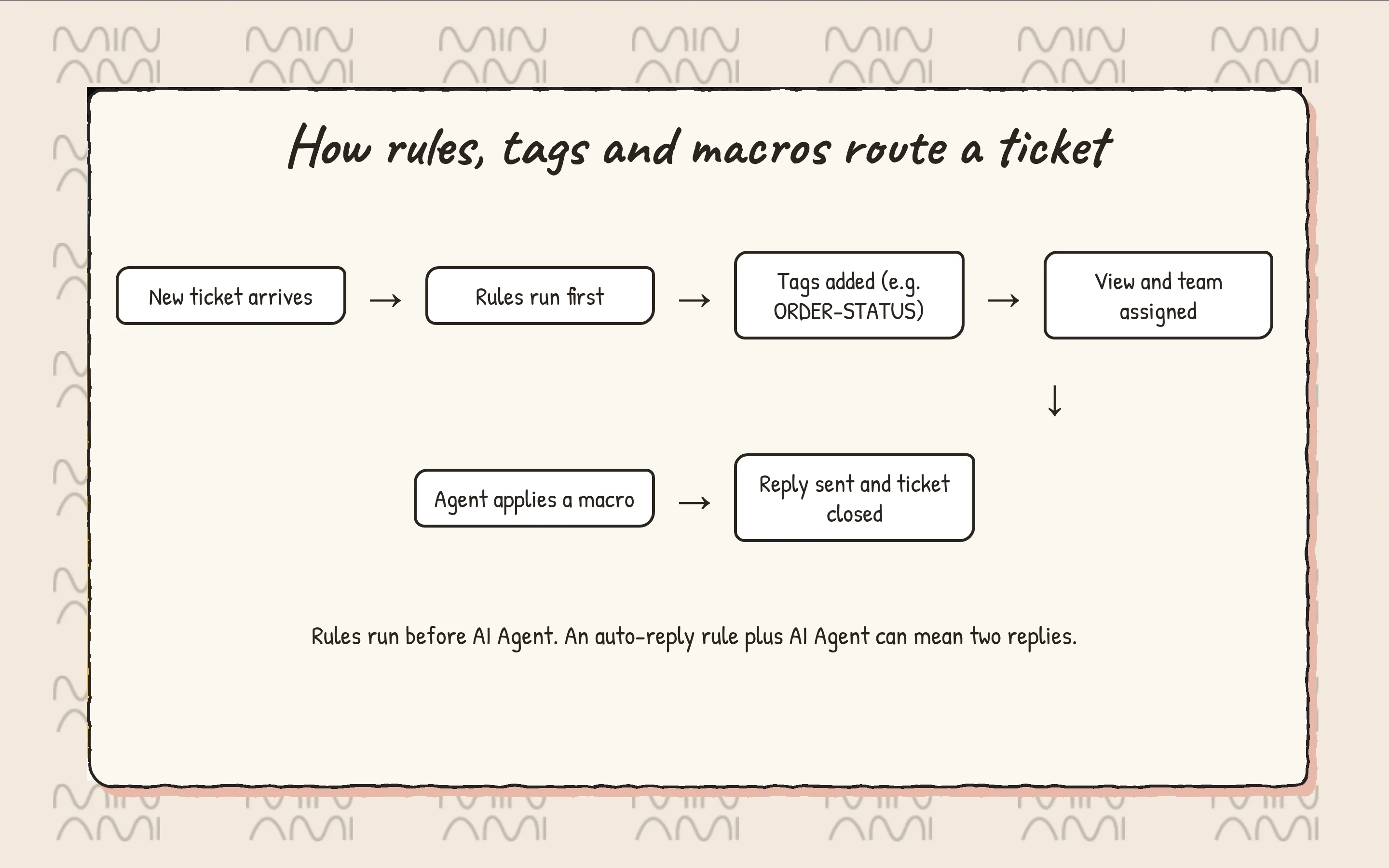
5. Keep rules few and scoped
You can create up to 70 rules, and they apply across all stores and channels. Scope each one with a condition like the channel or the store integration. A useful starter from the docs: tag tickets created outside business hours, then give that tag its own view.
The trap I see most often is timing. Rules run first, and AI Agent picks up after. If a rule replies or applies a macro, AI Agent may reply too, and the customer gets two messages. Audit every rule with a reply to customer or apply macro action before you turn the AI on.
6. Write macros for answers, and notice the actions
Macros are reusable replies plus ticket actions. They are great for policy answers. For logistics, though, a macro is often a reply plus a manual task. The agent still opens the order, checks fulfillment, edits it and confirms. That is where Minami helps: it runs the order edit, cancellation or address fix inside the Shopify store, so the macro and the manual step both disappear.
Set up AI Agent without hallucinations
This is where I spent the most time in the docs. The quality of AI Agent depends almost entirely on what you feed it.
7. Give it focused knowledge
AI Agent needs at least one knowledge source before you can enable it: your website, help center articles, documents, URLs or guidance. Gorgias recommends guidance as the best first step.
The guidance docs are clear about the format, and it is the single best defense against made-up answers:
- One topic per guidance, with a descriptive name
- A one-line summary of what it covers and when it applies
- Clear headings and bullets instead of one long paragraph
- IF and THEN for conditions, like loyalty tags
- Explicit boundaries, like never quoting a customs amount
- Test each guidance before you publish it
You can have up to 100 guidance enabled per store, each up to 30,000 characters. Gorgias recommends writing them in English.
8. Configure handovers and actions with care
Gorgias says to keep handover topics minimal at first. Add one only when AI Agent genuinely cannot resolve it, like suspected fraud, billing disputes or legal inquiries. Some handovers are built in and cannot be turned off: anger or frustration, a request for a human, and sensitive topics. AI Agent also hands over when its draft answer is not reliable enough.
Route those tickets with an auto-assignment rule on the ai_handover tag, so they reach a team instead of sitting in a view.
Then come actions. With Shopify Actions, AI Agent can cancel an unfulfilled order, edit a shipping address or remove an item. It only runs an action that is included in a skill or guidance. What I noticed in the limitations:
- Changes happen only in Shopify, not in 3PL or fulfillment apps
- An address edit cannot adjust taxes or shipping charges
- Replacing items handles one swap at a time
- The Order Management cancel button only submits a request that agents still process
So every logistics case becomes something you build, condition and maintain. Minami takes a different route. It executes these logistics actions in the Shopify store as part of the conversation, including delivery issues and turning returns into exchanges, without a flow per case.
Measure, then adjust
9. Watch resolution, handovers and cost
Use SLA adherence in the Overview report to see whether your hours and views work. On the AI side, every handover for missing knowledge is a gap you can close with better guidance.
Watch cost too. An automated interaction is a request fully resolved without a human, and it is billed. AI Agent interactions cost $1.00 each on monthly plans or $0.90 on annual plans, and each also counts as a helpdesk ticket. Past your included allowance, overage is $1.50 per interaction. For context, annual plans are listed at $77, $471 and $1,227 a month for Basic, Pro and Advanced. I go deeper in Gorgias AI Agent pricing.
Read what other merchants say after setup too. My roundup of Gorgias AI reviews shows the same split: strong on routine questions, weaker when a ticket needs action.
The logistics gap setup does not close
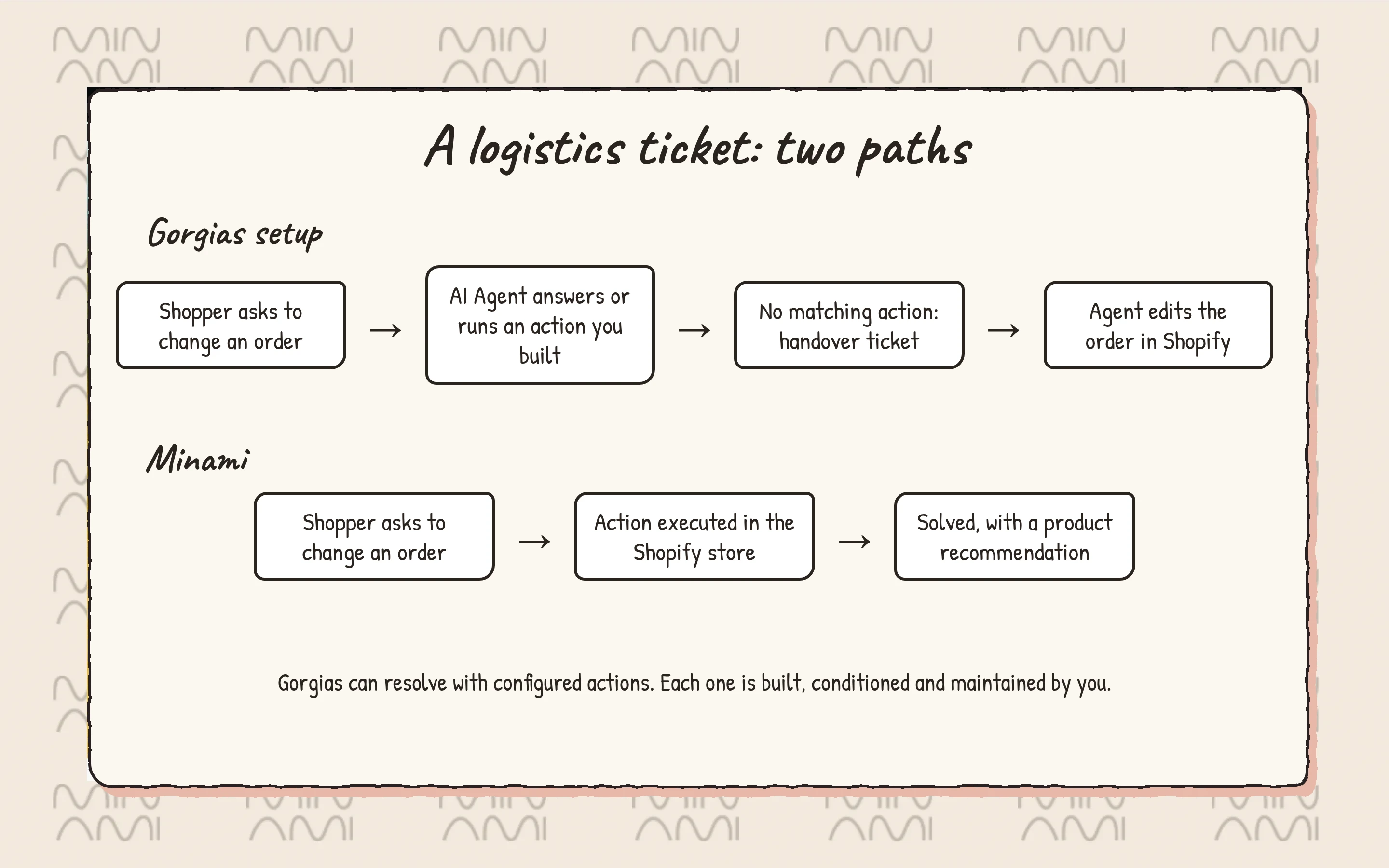
A clean Gorgias setup handles questions well. Logistics is different. Every order edit, cancellation, address change, delivery issue or exchange means another action to build, another condition to maintain, and a handover when the case does not fit. And each resolved interaction adds to the bill.
Minami is an AI agent for ecommerce logistics that works inside your Shopify store and executes the action itself.
- Edits and cancels orders
- Fixes shipping addresses
- Resolves delivery issues like delays and lost packages
- Turns returns into exchanges
- Recommends products in the same conversation
You keep Gorgias for what it does well, and the logistics tickets stop landing on your team. If you want the full comparison, read Minami vs Gorgias. When you are ready, talk to Minami and see which of your tickets it can take off the queue.
Minami AI agent
Automate 100% of your eCommerce support
Minami doesn't just chat. It takes the action inside your store and sells while it solves.
- Order edits and cancellations
- Address changes and delivery incidents
- Returns, exchanges and product recommendations