 Nobikage San
 Introducing
How Gorgias AI Training works: After hours of testing, here’s what you need to know
A clear breakdown of what Gorgias AI training actually does, what it can’t handle, and how far you can expect it to go inside a real ecommerce workflow.
As you probably know, the Gorgias AI Agent is a new feature inside the popular helpdesk that uses LLMs and AI tools to provide automatic answers to customers. And like any generative AI tool, it needs to be trained.
But what does “training” actually mean when Gorgias talks about it? It sounds powerful, right? Most people imagine something very different from what’s really happening. Training is a crucial step if you want the agent to answer correctly. It’s also important to evaluate this training process when you’re comparing Gorgias AI Agent with other alternatives.
That’s why I’ve gathered all the key information you need to understand how to train the Gorgias AI Agent and turn it into a reliable support resource for your online store.
What Gorgias Agent Training actually is
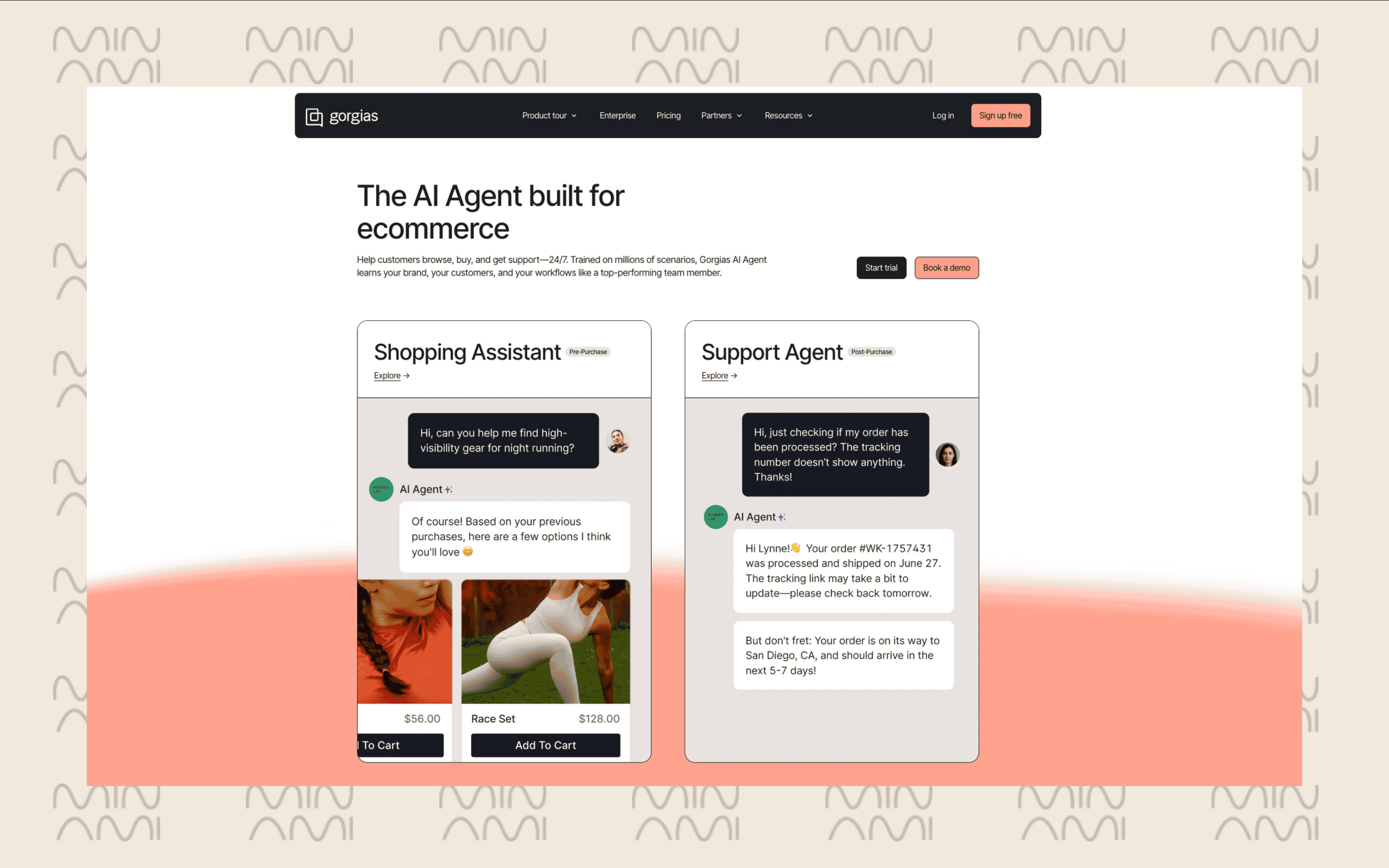
Think of Gorgias training the same way you think about onboarding a new support rep during their first week.
You don’t start by giving them system access or asking them to handle complex scenarios. You begin by walking them through your documentation, reviewing common ticket types, showing how your brand communicates, and giving them approved examples to reference. They learn the language, the tone, the policies, and the expected structure of a “good” reply.
That’s essentially what training looks like inside Gorgias.
You provide the AI with the same inputs you’d give a new hire: knowledge base articles, macros, style guidelines, and sample resolutions. The system absorbs that material and uses it to generate responses that stay consistent with your brand and your policies. It understands how you talk to customers because you’ve shown it the patterns.
In practical terms:
-
You train tone
-
You provide structure
-
You align it with your documentation
-
You shape communication style
If you want to avoid this training step entirely, Minami skips it. You connect your store, it reads your policies, and it starts resolving real ecommerce issues from day one. It arrives as a fully trained agent that handles the work, not just the replies.
Gorgias training features
But what elements do you need to train your Gorgias AI agent so it can provide better answers and support your customer service team? Here are the most important ones you should know:
1. Knowledge sources
The AI leans on the content you already have: your help center, your Shopify data, and the public pages on your site. You load in your policies and product details, and it uses that to draft answers that match your brand.
2. Guidance and custom instructions
You can nudge the AI with specific directions. Something as simple as telling it how to respond when a customer pushes for an extra discount. These small rules shape its tone and the boundaries it should stay within.
3. Macros
These are ready-made responses that pull live order data. A WISMO macro, for example, can drop in the customer’s name, order number, and tracking link automatically, so agents don’t type the same thing over and over.
4. Rules
This is your basic IF-THEN automation. You decide what should happen when certain conditions are met—like replying with a WISMO macro and closing the ticket if tracking info is available.
5. Actions
These are the tasks the AI is allowed to perform inside your helpdesk or your store systems. You decide what it can do: cancel an order, apply a discount, update an address, or start a return. The agent only acts within the actions you approve.
6. Testing and corrections
Before going live, you can test the AI with real scenarios. If something sounds off, you adjust the guidance, update your knowledge sources, or tweak a macro. Every correction helps refine how the agent responds.
7. Continuous feedback
Once active, you can review conversations, mark good or bad answers, and update instructions. Gorgias uses this ongoing feedback loop to improve precision over time, especially on repeated questions or policy-heavy cases.
Does Gorgias charge for training Its AI Agent?
Gorgias doesn’t charge anything for training the AI agent itself. You upload your macros, help articles, tone guidelines, and return policies, and the system learns from them without extra fees.
The cost comes from the AI resolutions the agent completes. Every time the AI solves a ticket on its own, Gorgias bills you per resolution. Learn more about Gorgias AI agent pricing.
When you need more automation
Most AI agents for Ecommerce still leave a lot of work on your team’s plate. Even with Gorgias trained and configured, you’re the one approving returns, processing refunds, fixing addresses, talking to carriers, or dealing with exceptions. The AI helps you answer faster, but it doesn’t actually do the work.
Minami takes a completely different approach. It doesn’t rely on long training cycles or carefully crafted instructions. The agent connects to your store, reads your policies, understands your workflows, and starts resolving real ecommerce problems on its own—returns, exchanges, address updates, delivery issues, order edits, and even carrier communication.
Instead of teaching an AI how to respond, you get an AI that’s built to act. It absorbs your rules, applies your logic, and runs the full workflow from start to finish without needing constant supervision. No training loops. No manual approvals. No setup that drags on for weeks.
FAQs About Gorgias Training
Have more questions? Fill this form and our team will be in touch to answer them!
-
How does Gorgias “learn” my brand?
- It reads your help-center articles, your policies, your website, and your macros. Think of it like onboarding a new rep: you give it the material, and it copies the patterns.
-
Does Gorgias train itself over time?
- Only if you keep reviewing answers and correcting mistakes. The AI improves, but only when you feed it better inputs or update your guidance.
-
Do I need all this training if I choose Minami?
- No. Minami skips this step entirely. You connect your store, it reads your policies, and it starts resolving real ecommerce issues from day one without training cycles.
Get Started
Minami is available with zero setup
No integrations. No workflows. No dev time. Just power up Minami and let your AI agent cut refunds, manual labor, and losses